Severe Weather Alerts
Quinn ConradWeather
4.2298.00 Reviews
- Version
- 2.2.4
- Installs
- 100.00K
- Age Rating
- Everyone
Screenshots
Our Review of Severe Weather Alerts
 Analysis by Appyee
When it comes to keeping tabs on the weather, especially when things get a bit dicey, having a reliable app on your phone can be a real game-changer. Enter Severe Weather Alerts, an app that promises to keep you in the loop with real-time updates on all things atmospheric. I decided to give it a whirl and see if it lives up to the hype.
Getting Started with the App
Downloading Severe Weather Alerts was a breeze. It’s available on both Android and iOS, and the installation was smooth as silk. Once I fired it up, I was greeted with a clean and intuitive interface. The home screen immediately displays the current weather conditions and any looming alerts, which is a huge plus for those of us who like to stay informed at a glance.
The setup process was straightforward. After allowing location access, the app automatically pulls in relevant data for your area. You can also manually add locations, which is perfect if you’re planning a trip or have family in other parts of the world. It’s like having a personal meteorologist in your pocket.
Features That Stand Out
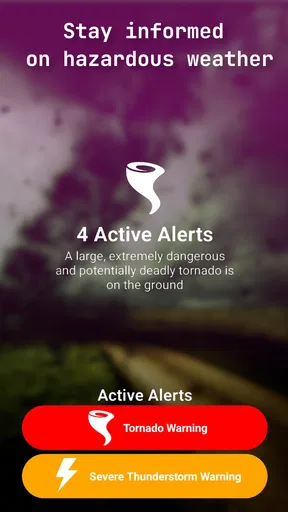
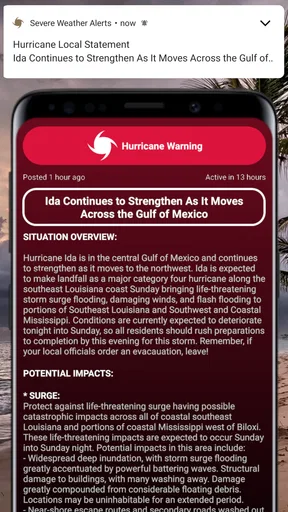
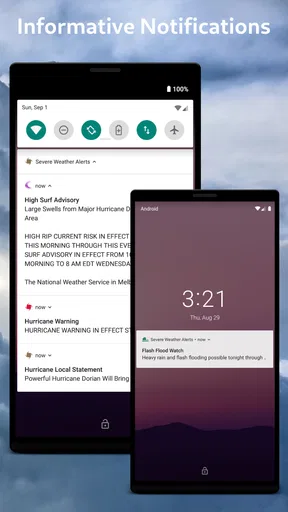
One of the first things I noticed was the app’s alert system. It sends out notifications for severe weather conditions like thunderstorms, tornadoes, and heavy snow. These alerts are timely and have enough detail to help you make informed decisions. It feels like having a friend who constantly has your back, whispering, "Hey, you might want to grab an umbrella before heading out."
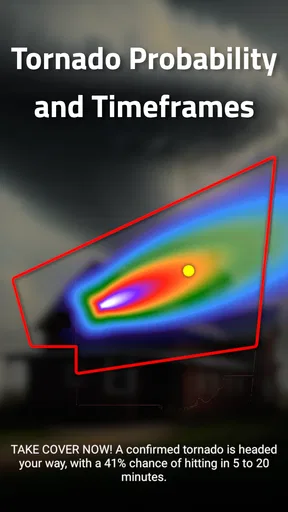
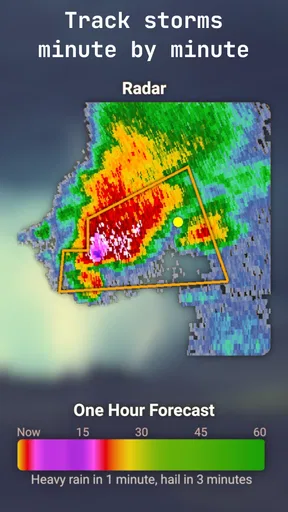
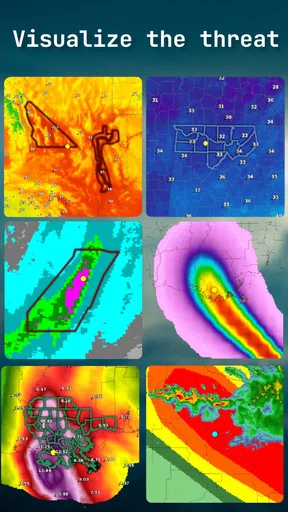
The radar feature is another highlight. It provides a real-time view of precipitation and cloud cover, which is incredibly useful for tracking storms. You can zoom in and out to get a better sense of what’s headed your way. It’s almost mesmerizing to watch the swirling colors on the radar, knowing that you’re seeing Mother Nature’s plans unfold in real time.
Usability and Design
Navigation through the app is a breeze. The design is sleek and modern, with easy-to-read fonts and a pleasing color scheme. Everything is logically laid out, so you won’t find yourself getting lost in a sea of menus and options. I was able to find what I needed with just a couple of taps, which is exactly what you want when a storm is approaching.
Another nifty feature is the "Preparedness Tips" section. It offers advice tailored to the type of weather alert you’re facing. Whether it’s securing outdoor furniture for a windstorm or assembling an emergency kit for a blizzard, the app provides practical guidance that can really come in handy.
Performance and Reliability
In terms of performance, the app runs smoothly with no noticeable lag or crashes during my time using it. The alerts are prompt, and the radar updates frequently enough to be useful without overwhelming your data plan. I appreciate the app’s efficiency, as it doesn’t bog down my phone or drain the battery excessively.
Reliability is key for an app like this, and Severe Weather Alerts doesn’t disappoint. During a recent thunderstorm, I received notifications well in advance, allowing me to stay informed and safe. It’s reassuring to know that the app is keeping an eye on things, even when I’m not.
Final Thoughts
All in all, Severe Weather Alerts is a solid choice for anyone looking to stay ahead of the weather. It combines an intuitive design with robust features, making it a must-have for weather enthusiasts and casual users alike. While no app can replace common sense and local news updates, this one certainly complements them nicely.
If you’re someone who likes to be prepared for whatever Mother Nature throws your way, I’d definitely recommend giving this app a shot. It’s like having a trusty weather companion who’s always looking out for you, so you can face the elements with confidence.
Verdict
Strengths of Severe Weather Alerts
- Real-time notifications for severe weather.
- Customizable alert settings for locations.
- User-friendly interface with easy navigation.
- Detailed radar and forecast maps.
- Available offline for emergency situations.
Limitations of Severe Weather Alerts
- Frequent ads can be distracting.
- Some alerts may be delayed.
- Limited international coverage.
- Consumes significant battery power.
- Premium features require subscription.
Similar Picks in This Category
View All
Weather - By Xiaomi
Xiaomi Inc.4.1

Weather & Radar Forecast
WetterOnline4.8

Weather
OneLouder Apps4.6

AccuWeather: Weather Radar
AccuWeather3.6

The Weather Channel - Radar
The Weather Channel4.6

1Weather Forecasts & Radar
OneLouder Apps4.3
Frequently Asked Questions
What features does the Severe Weather Alerts app offer?
The Severe Weather Alerts app provides real-time notifications about weather conditions in your area. It includes detailed forecasts, radar maps, and alerts for severe weather events such as thunderstorms, tornadoes, and hurricanes. Users can customize alert settings based on their location and preferences to stay informed and safe.
Is the Severe Weather Alerts app free to use?
The app offers a free version with basic features like standard weather updates and alerts. However, there is a premium version available that includes additional features such as advanced radar maps, ad-free experience, and priority customer support. Pricing details can be found within the app store listing.
How accurate are the weather alerts provided by the app?
The app utilizes data from reliable meteorological sources to ensure accuracy. It updates frequently to reflect real-time changes in weather conditions. While no weather app can guarantee 100% accuracy, users typically find the alerts timely and reliable for planning and safety purposes.
Can I customize the types of weather alerts I receive?
Yes, the app allows users to customize their notifications. You can choose to receive alerts for specific weather events like tornadoes, floods, or snowstorms. Additionally, you can set the app to alert you only during certain times or for specific locations, ensuring you receive only relevant information.
Does the Severe Weather Alerts app drain battery life significantly?
The app is designed to run efficiently in the background. While it may use some battery due to constant updates and location tracking, it is optimized to minimize battery consumption. Users can adjust settings like update frequency and location accuracy to further conserve battery life.
